


FNSKU Labels for Amazon FBA: Requirements, Size & How to Print
- Verified & Reviewed · Last updated October 2026
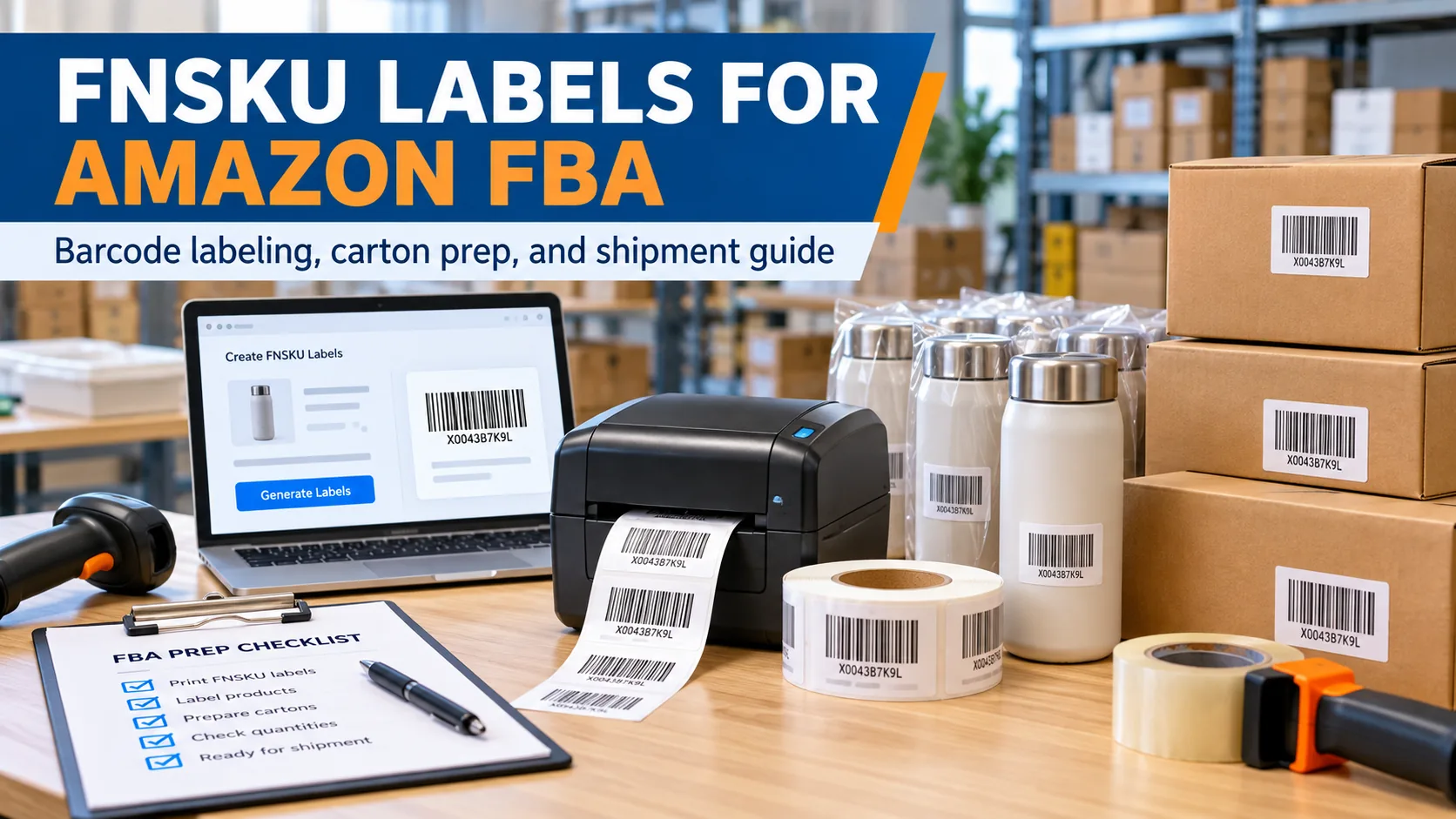
FNSKU labels are used to identify a seller’s inventory within Amazon FBA. Each FNSKU is linked to a specific seller and product, helping Amazon track inventory accurately throughout the fulfillment process.
This guide covers FNSKU requirements, label size, printing, placement, Seller Central setup, and preparation before shipping to Amazon FBA.
FNSKU Label Requirements
Label Size & Printing
Amazon FBA Preparation
- Experienced China-based logistics specialists
10,000+ international shipments handled Global sea, air & DDP shipping solutions 24/7 shipment tracking & customer support
FNSKU Labels for Amazon FBA: Quick Answer
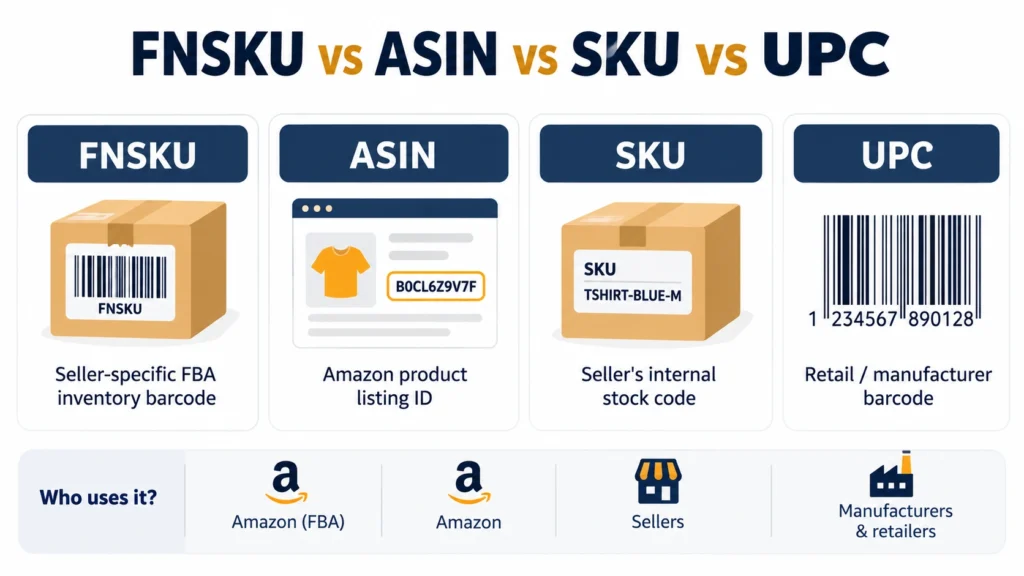
An FNSKU is an Amazon barcode assigned to a seller’s FBA inventory. It is different from an ASIN, seller SKU, UPC, or EAN because it identifies inventory associated with a particular seller.
If your listing is set to use Amazon barcodes, each sellable unit should carry the correct FNSKU label before it reaches an Amazon fulfillment center.
Table of Contents
What Is an FNSKU Label?
Amazon generates the FNSKU when a product is added to FBA inventory, and the code can be found in Seller Central.
Its main purpose is to identify a specific seller’s inventory inside Amazon’s fulfillment network. This helps separate your units from identical products belonging to another seller.
An FNSKU is therefore an inventory identifier rather than a general retail product barcode.
FNSKU vs ASIN vs SKU vs UPC
These codes serve different purposes and should not be used interchangeably.
| Code | What It Identifies | Seller-Specific? |
|---|---|---|
| FNSKU | A seller's FBA inventory | Yes |
| ASIN | A product listing on Amazon | No |
| Seller SKU | A seller's internal inventory record | Yes |
| UPC/EAN | A retail or manufacturer product | Usually no |
A common mistake is using an ASIN or seller SKU as if it were the FNSKU. Before printing labels, confirm that the barcode file belongs to the correct FBA listing.
When Do You Need an FNSKU Label?
FNSKU labeling depends on how the product is configured in Amazon Seller Central.
When a listing is set to use Amazon barcodes, the product must be prepared so the FNSKU can be scanned correctly. Existing manufacturer barcodes may need to be covered to prevent the wrong barcode from being scanned.
Before production or shipment, check the barcode preference and item-labeling instructions for the listing in Seller Central. This is especially important when a supplier in China will apply labels before export.
Do not assume the same rule applies to every FBA product. Follow the instructions shown for the specific listing and shipment.
Amazon FNSKU Label Requirements
The label should be easy to scan and must match the actual product being shipped.
| Requirement | Practical Rule |
|---|---|
| Label size | Follow the label format downloaded from Seller Central; common formats are about 1 × 2 to 2 × 3 inches |
| Use black print on a white, non-reflective label | |
| Barcode quality | Keep the full barcode sharp and scannable |
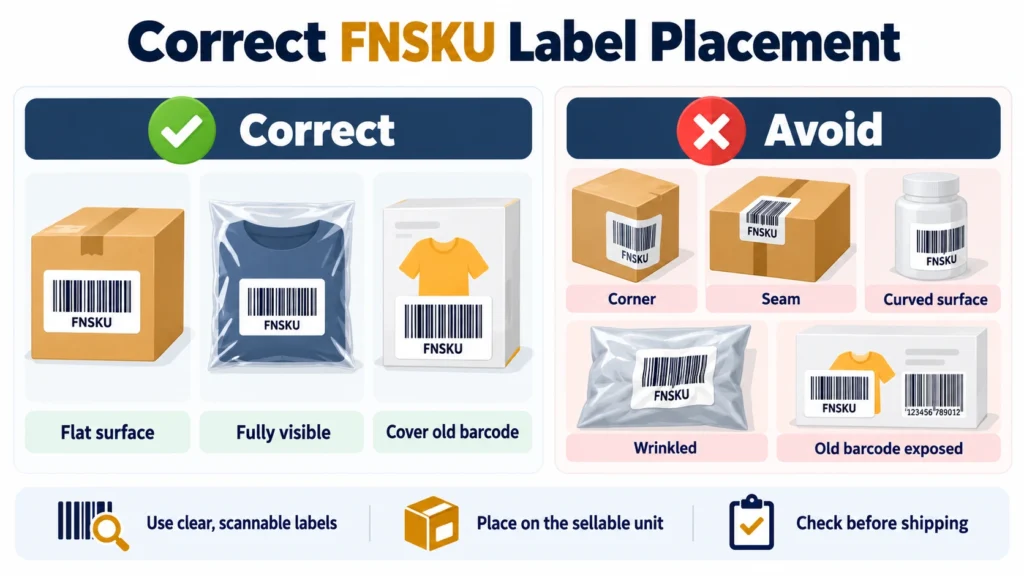
| Placement | Apply the label to a smooth, flat, visible surface |
| Existing barcodes | Cover competing manufacturer barcodes when required |
| Product match | Make sure the FNSKU matches the correct SKU and product |
| Sellable unit | Label the individual unit according to Amazon's item-labeling instructions |
Do not fold the barcode around an edge, place it across a seam, or cover it with material that makes scanning difficult.
How to Generate FNSKU Labels in Seller Central
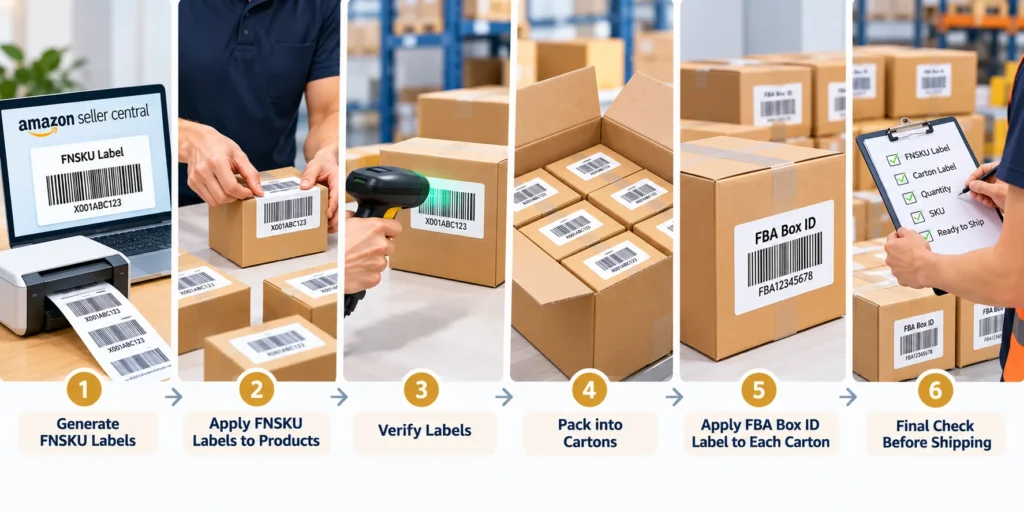
FNSKU labels are normally generated through Amazon Seller Central:
Log in to Seller Central.
Open your inventory or FBA inventory section.
Find the product you want to prepare.
Select Print Item Labels.
Choose the required quantity or label format.
Download the PDF.
Send the file to your supplier, warehouse, or labeling team.
FNSKU labeling may also appear during the Send to Amazon workflow when item labeling is required.
Before sending the PDF to a factory, check the SKU, product description, quantity, and FNSKU. One incorrect file can cause an entire batch to be labeled incorrectly.
How to Print and Apply FNSKU Labels
FNSKU labels can be printed on suitable label sheets or with a thermal or laser printer. The final barcode must remain clear and scannable.
For better results:
use the correct label paper and template;
print at actual size or 100% scale;
avoid resizing the downloaded PDF;
make sure barcode lines are sharp;
test-scan several labels before labeling the full order.
Place the label on a smooth, flat area of the product packaging. If another UPC, EAN, or scannable product barcode should not be used for FBA receiving, cover it completely with the FNSKU.
Avoid corners, curved surfaces, box openings, wrinkled poly bags, or areas where the label can peel off.
FNSKU Labels for Bundles, Multipacks and Cartons
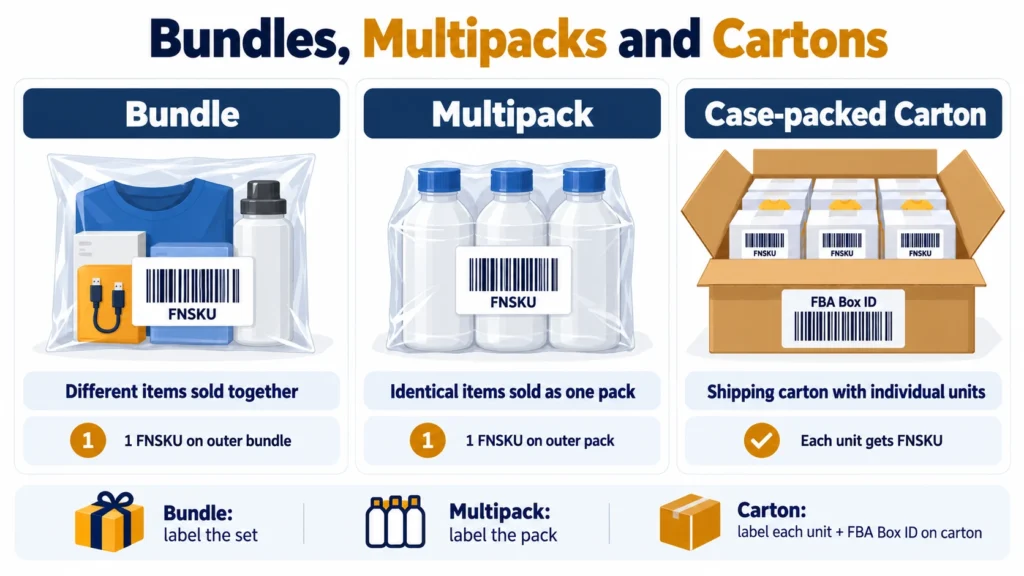
Amazon FBA labeling can differ depending on whether products are sold as a bundle, multipack, or individual units packed inside a shipping carton. The key is to label the actual sellable unit correctly.
Bundles
A bundle contains different products sold together as one unit.
The complete bundle should be packaged securely and carry the FNSKU assigned to that bundle listing on the outside packaging. Barcodes on individual items inside the bundle should not be exposed in a way that could cause the wrong barcode to be scanned.
If the bundle is packaged in a poly bag or other outer packaging, also follow Amazon’s current packaging and warning-label requirements shown in Seller Central.
Multipacks
A multipack contains multiple identical products sold together as one unit, such as a 6-pack.
The multipack should be treated as one sellable unit and use the FNSKU assigned to the multipack listing. Do not use the FNSKU from a single individual item if the listing represents the entire pack.
The outer packaging should clearly keep the items together and prevent warehouse staff from separating them accidentally.
Shipping Cartons and Case Packs
A shipping carton is used to transport products to Amazon and is normally not the same as the retail unit.
For case-packed shipments, the individual sellable units inside the carton should follow their own FNSKU labeling requirements. The outer carton uses the shipment or FBA Box ID label generated during the Send to Amazon process.
If the carton itself is the retail packaging for one large product, then the product label applies to that sellable unit.
| Package Type | FNSKU Placement | Other Labeling |
|---|---|---|
| Bundle | On the outside of the complete bundle | Follow current bundle/packaging requirements |
| Multipack | On the outside of the complete multipack | Make sure the pack is treated as one sellable unit |
| Case-packed carton | On each sellable unit inside | FBA Box ID label on the shipping carton |
Common FNSKU Labeling Mistakes
Common mistakes include:
printing the wrong FNSKU for the SKU;
confusing the FNSKU with the ASIN;
leaving another scannable barcode exposed;
using blurred or damaged labels;
sticking labels over corners or uneven surfaces;
labeling only the master carton;
sending inventory without checking the final shipment plan.
These errors can lead to relabeling, receiving delays, or additional handling.
FNSKU Labeling Before Shipping from China to Amazon FBA
When products are manufactured in China, it is usually more efficient to finish FNSKU labeling before international shipping.
A practical workflow is:
Generate labels → send files to supplier → label each unit → verify SKU/FNSKU match → inspect sample units → apply carton labels → arrange FBA shipping
For larger orders, check samples from each SKU rather than relying on one photo. Confirm that the barcode scans correctly and that the label matches the actual product before the cartons are sealed.
Tonlexing can coordinate cargo pickup and shipping from China to Amazon FBA after the products, unit labels, and shipment cartons are prepared. Final Amazon warehouse and shipment-label instructions should be confirmed in Seller Central before dispatch.
Frequently Asked Questions
Is an FNSKU the Same as a SKU?
No. A seller SKU is used by the seller to manage inventory. An FNSKU is an Amazon-generated identifier used for FBA inventory.
Is an FNSKU the Same as an ASIN?
No. The ASIN identifies a product listing, while the FNSKU identifies inventory associated with a seller.
What Size Should an FNSKU Label Be?
Use the format provided when you download the label from Seller Central. Common formats are roughly 1 × 2 to 2 × 3 inches, but the current Amazon template should take priority.
Does the FNSKU Need to Cover the UPC?
When the product is using an Amazon barcode for FBA receiving, competing scannable product barcodes should be covered so the correct FNSKU is scanned.
Can I Print FNSKU Labels With a Thermal Printer?
Yes, as long as the printer and label stock produce a clear, readable barcode. Laser printing on suitable label sheets is also commonly used.
Related Logistics Guides
Useful freight, customs and importing resources related to this shipping guide.
Related Guide
Warehouse
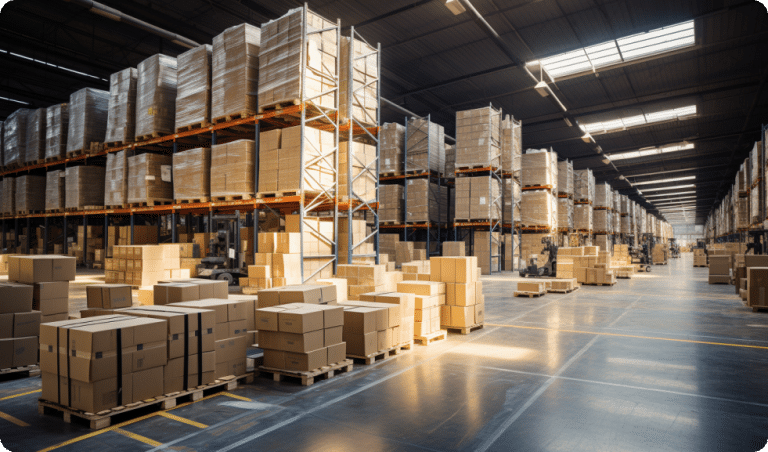
Warehouse Consolidation in China — Faster, Smarter Global Shipping A consolidation warehouse combines cargo from multiple suppliers into one ship...
Read guide →
Related Guide
DDP Shipping from China
DDP shipping from China includes customs clearance, import duties, and final delivery. It is a convenient door to door service with clear and pre...
Read guide →
Related Guide
Air Freight from China
Air freight from China is the best option for time sensitive and high value shipments. It offers fast delivery, reliable transit times, and effic...
Read guide →
Useful Resource
Sea Freight Shipping from China
Sea freight is the most cost effective shipping method for large volumes and container load cargo. It is ideal for businesses looking to reduce s...
Learn more → Useful Resource Customs Clearance Step by StepCustoms Clearance Step by Step: The Complete Process Verified & Reviewed · Last updated February 2026 Customs clearance step by step helps intern...
Learn more →