


How to Create an Amazon FBA Shipment: Send to Amazon Step by Step (2026)
- Verified & Reviewed · Last updated October 2026
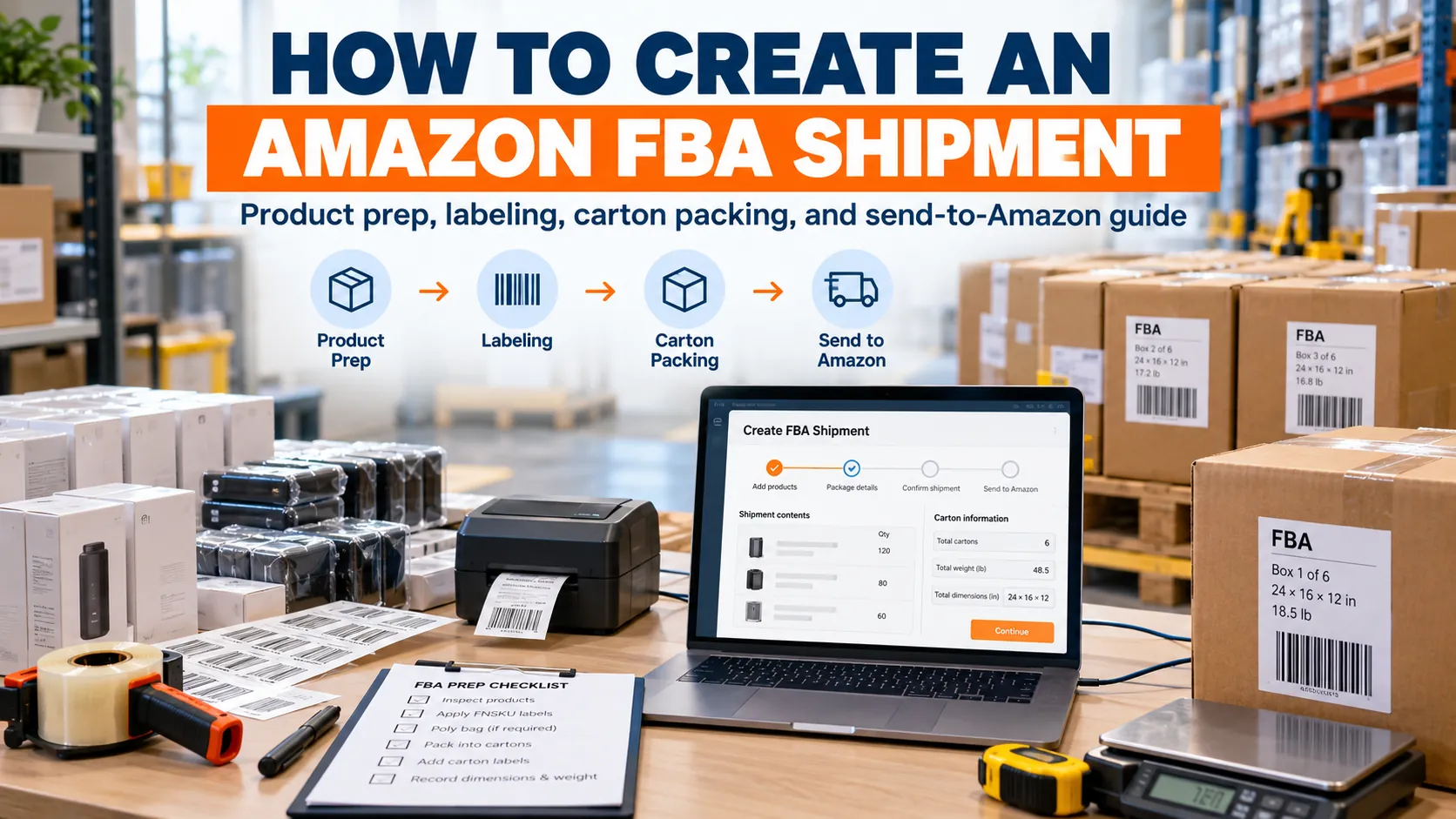
Creating an Amazon FBA shipment starts with the Send to Amazon workflow, where sellers confirm products, quantities, packing details, labels, and the ship-from address.
This guide explains how to create an FBA shipment step by step, prepare products and cartons, choose a shipping method, and send inventory to Amazon fulfillment centers.
Air Freight Cost
Transit Time
Door to Door Shipping
- Experienced China-based logistics specialists
10,000+ international shipments handled Global sea, air & DDP shipping solutions 24/7 shipment tracking & customer support
Quick Answer: How to Create an Amazon FBA Shipment
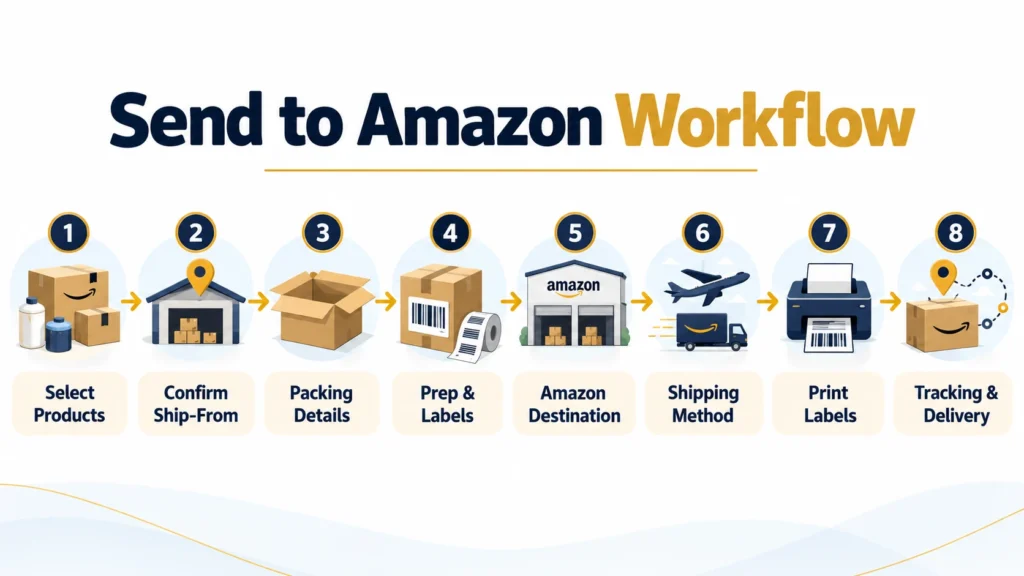
To create an Amazon FBA shipment, open Send to Amazon in Seller Central, select the SKUs and quantities you want to send, confirm the ship-from address, enter box and packing details, complete product preparation and labeling information, review the assigned destination, choose a shipping method, print the required shipping labels, and add tracking after dispatch.
The basic workflow is:
Open Send to Amazon.
Select the products you want to ship.
Confirm the ship-from address.
Enter box content, dimensions, and weight.
Prepare and label your products.
Review the assigned fulfillment center.
Choose how you want to ship.
Print FBA box and shipping labels.
Add tracking and monitor receiving.
Creating the plan does not physically move your inventory. You still need a carrier or freight forwarder to transport the goods to Amazon.
Table of Contents
What Is Send to Amazon?
Send to Amazon is Amazon’s shipment creation workflow for sellers sending inventory into FBA.
It allows you to provide information about:
Products and SKUs
Unit quantities
Product preparation
Packing configuration
Box contents
Ship-from location
Carton dimensions and weight
Transportation method
Labels and tracking
The workflow connects the inventory preparation and transportation stages before your products enter an Amazon fulfillment center.
| Stage | Information You Confirm |
|---|---|
| Inventory | SKUs, quantities, prep, and product labels |
| Packing | Box contents, dimensions, weight, and configuration |
| Transportation | Destination, carrier, shipping labels, and tracking |
Older Amazon FBA guides may refer to a shipping plan or shipment plan. Sellers should follow the current workflow shown in their own account because Amazon periodically updates the interface and inbound process.
What You Need Before Creating an FBA Shipment
Preparing your information in advance can prevent changes after labels have already been generated.
Before you start, have the following ready:
Active FBA listings
SKU or MSKU information
Final quantity for each product
Ship-from address
Product barcode requirements
Prep requirements
Number of cartons
Units packed in each carton
Final carton dimensions
Gross weight of each carton
Estimated cargo-ready date
Planned carrier or freight forwarder
If your products are still at a supplier in China, ask for final packed carton data rather than early estimates.
Packaging materials, inserts, foam protection, stronger cartons, or repacking can change both the dimensions and gross weight.
How to Create an Amazon FBA Shipment Step by Step
Once your products, quantities, and final packing details are ready, you can create the shipment through Send to Amazon. The process covers inventory selection, packing information, labeling, shipping method, and tracking.
Step 1: Open Send to Amazon in Seller Central
Sign in to Seller Central and locate the Send to Amazon workflow from the inventory or shipping area.
The exact menu wording can change as Amazon updates its interface, so follow the current shipment creation option shown in your account.
Before continuing, check that you are using the correct marketplace.
This is especially important for sellers managing inventory in several countries because fulfillment destinations and inbound requirements can differ by marketplace.
Step 2: Select the Products You Want to Send
Select the products you want to send to Amazon and enter the quantity for each SKU.
The quantity entered online should match the physical inventory your supplier, warehouse, or prep center is preparing.
For example, if your supplier has produced 1,000 units but you want to ship only 600 units to Amazon, enter the quantity included in the current plan rather than the total production quantity.
Before continuing, check:
Correct SKU
Correct product variation
Final unit quantity
FBA eligibility
Physical stock available to ship
Case-packed or mixed packing format
The products listed online should match what is actually inside the boxes.
Step 3: Confirm the Ship-From Address
The ship-from address identifies the origin associated with your inbound inventory.
Depending on your logistics setup, this may be:
Your warehouse
Your supplier
A prep center
A consolidation warehouse
A freight forwarder’s facility
If you’re shipping from China, your physical route may involve several stages:
Factory → China warehouse → airport or seaport → destination country → Amazon fulfillment center
Use the origin information that matches the actual setup shown in the workflow rather than automatically reusing an old address.
Step 4: Enter Box Content and Packing Details
Amazon needs accurate information about how your products are packed.
Depending on the workflow, you may need to enter:
Number of boxes
Units in each box
SKU allocation
Carton dimensions
Carton gross weight
Packing configuration
The dimensions and weight entered in Seller Central should match the final packed cartons, not preliminary supplier estimates.
Amazon FBA Carton Packaging Requirements
Your boxes also need to be suitable for transportation and fulfillment-center handling.
In general:
Cartons should be securely sealed.
Boxes should be in good physical condition.
Packing should protect products during transportation.
Standard corrugated shipping cartons are commonly used.
Product-specific preparation requirements should be completed before dispatch.
Heavy, oversized, fragile, liquid, bundled, or other special products may have additional requirements.
Amazon also applies carton weight and dimensional rules to inbound inventory. Because requirements can vary by product and marketplace, check the current limits shown for your shipment before shipping rather than relying on an old universal weight limit.
Step 5: Prepare and Label Your Products
Before you ship products to Amazon FBA, make sure each SKU meets the preparation and barcode requirements shown in your account.
Depending on the product, preparation may include:
Poly bagging
Bubble wrap
Protective packaging
Set labeling
Warning labels
Barcode labeling
Other product-specific preparation
FNSKU Labels
An FNSKU is an Amazon identifier used for inventory that requires an Amazon barcode.
Some eligible inventory may use a manufacturer barcode instead, depending on the listing and barcode configuration.
Do not assume every product automatically requires the same label.
Check the barcode setting for each SKU before labels are printed.
Product labels may be applied by your:
Supplier
Warehouse
Prep center
Sourcing agent
Logistics provider
For products from China, completing labeling before international transportation can reduce the need for relabeling after arrival.
Step 6: Review the Fulfillment Center Assignment
Amazon will provide the fulfillment destination based on the current inbound setup.
Your products may be assigned to one fulfillment center or divided between several locations.
Always use the destination shown for the current shipment. Do not assume that a warehouse used for a previous delivery will be assigned again.
If inventory is split between several destinations, plan the final delivery accordingly.
Step 7: Choose a Shipping Method
Select the transportation option that matches your cargo.
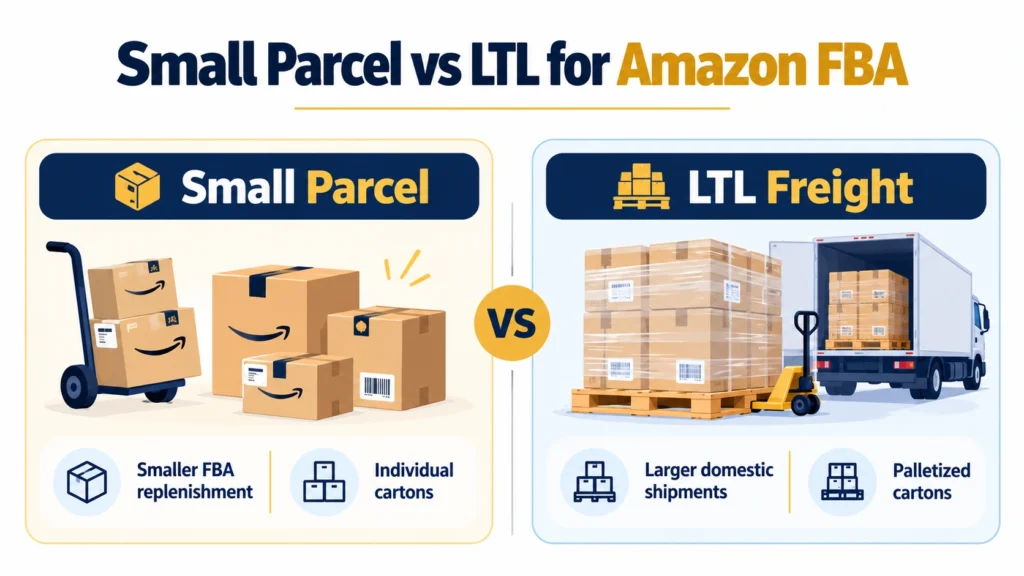
Small parcel delivery is commonly used for smaller shipments sent as individual cartons.
LTL or palletized freight may be more suitable when you are sending many cartons or heavier inventory.
Depending on the marketplace and available services, you may also be able to choose between an Amazon-partnered carrier and an independent carrier.
For products shipped from China, the international and final-mile stages may be handled separately. For example:
China → air or sea freight → customs clearance → local delivery → Amazon fulfillment center
Step 8: Print and Apply Shipping Labels
After confirming the packing and transportation details, generate the required labels.
A typical FBA shipment may use several different labels:
FNSKU or product barcode
FBA Box ID label
Carrier shipping label
Pallet label for palletized freight
Apply the correct label to each carton and keep all barcodes flat, visible, and easy to scan.
Avoid placing labels across carton seams or underneath packing tape.
Step 9: Add Tracking and Monitor Delivery
Once the goods have been collected, enter or confirm the required tracking information.
The type of tracking reference depends on whether you are using parcel delivery, LTL, or another freight service.
You can then monitor the status of your inventory as it moves through delivery and receiving.
Keep in mind that carrier delivery does not mean the products are immediately available for sale. Amazon may still need time to receive and process the inventory before it becomes available in FBA.
Amazon FBA Labels Explained
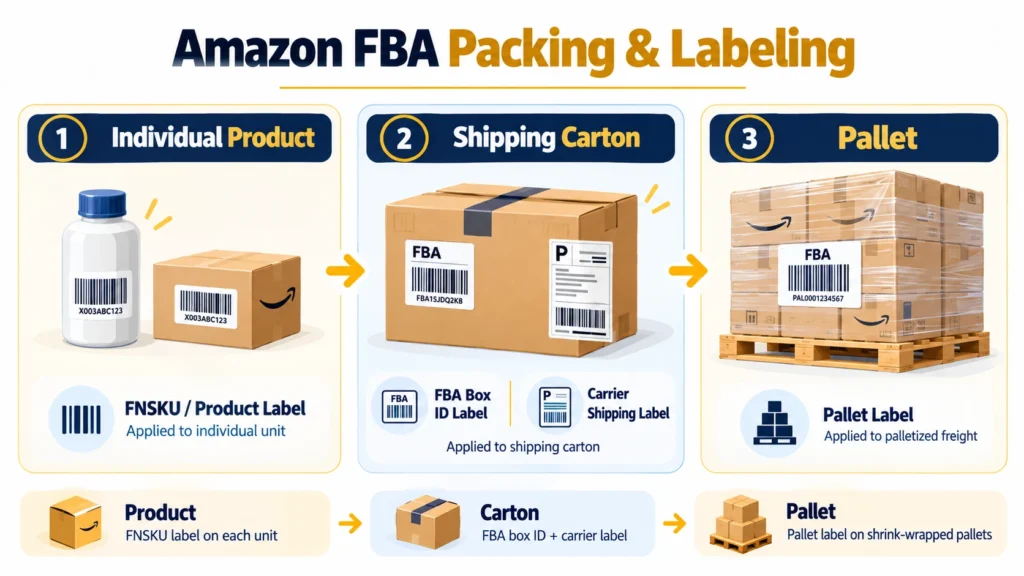
Amazon FBA shipments can use several different labels, and each one serves a separate purpose. Before your products leave the supplier, prep center, or warehouse, make sure the correct labels are applied to the correct packaging level.
FNSKU or Product Label
The FNSKU label identifies an individual product within Amazon’s fulfillment system.
Depending on the SKU and barcode setup, Amazon may require an FNSKU, while some eligible products can use a manufacturer barcode.
Before printing labels, check the barcode requirement shown for each product in your Amazon account.
FBA Box ID Label
The FBA Box ID label is applied to the outside of each shipping carton.
It links that carton to the inbound delivery created through Send to Amazon. If several cartons are included, each box should receive the correct label generated for that carton.
Do not reuse labels from an older shipment.
Carrier Shipping Label
The carrier label is used by the parcel carrier, trucking company, or other transport provider to move and track the box.
It is different from the FBA Box ID label.
A carton may therefore need both:
An Amazon FBA Box ID label
A carrier shipping label
Keep both barcodes visible and easy to scan.
Pallet Labels
If your inventory is delivered as palletized freight, additional pallet labels may be required.
These labels should be applied according to the instructions provided for the shipment and remain visible after the pallet is wrapped.
Where Should FBA Labels Be Placed?
Labels should be placed on a flat, accessible surface where the barcode can be scanned easily.
Avoid placing labels:
Across carton seams
Over box edges
Under packing tape
On damaged surfaces
Where another label covers the barcode
If the carton is repacked or the box configuration changes, check whether new labels need to be generated before shipping.
| Label Type | Applied To | Main Purpose |
|---|---|---|
| FNSKU / Product Label | Individual unit | Identifies the product |
| FBA Box ID Label | Shipping carton | Links the box to the inbound shipment |
| Carrier Shipping Label | Shipping carton | Transportation and tracking |
| Pallet Label | Pallet | Identifies palletized freight |
Before pickup, compare the labels with the final products, carton count, and packing information. This helps reduce receiving problems when the inventory arrives at Amazon.
Small Parcel vs LTL for Amazon FBA
The most suitable delivery format depends mainly on quantity, total weight, box count, and destination.
| Shipping Method | Best For | Typical Format |
|---|---|---|
| Small parcel | Smaller FBA replenishment | Individual cartons |
| LTL freight | Larger domestic shipments | Palletized cartons |
| Air freight | Urgent inventory from China | Air + final-mile delivery |
| Ocean freight | Larger, less urgent cargo | LCL/FCL + final delivery |
Small parcel delivery can be simpler for smaller quantities. As the number of cartons increases, palletized or LTL transportation may become more practical.
How Much Does It Cost to Ship to Amazon FBA?
The cost of sending inventory to Amazon FBA can include two separate parts: the carrier shipping cost to move the cartons and any Amazon inbound placement fee that applies to how inventory is distributed across fulfillment centers.
The final amount depends on shipment weight, box dimensions, carrier, destination, and the placement option selected in Send to Amazon.
Carrier Shipping Costs
If you use an eligible Amazon-partnered carrier during the shipment creation process, you may access discounted shipping rates for inbound delivery to Amazon.
Average Cost: As a general reference, partnered small-parcel shipping may cost around $0.30 per lb, depending on the route, carton size, weight, and service.
Box Estimate: A standard carton weighing around 20–40 lb may cost approximately $7–$12 under some partnered-carrier rates.
Cost Optimization: Shipping cost per unit is usually lower when cartons are packed efficiently. Avoid oversized or poorly filled boxes, while still following Amazon’s packaging, carton weight, and dimension requirements.
Amazon Inbound Placement Fees
Amazon may also charge an inbound placement fee depending on how you choose to distribute inventory.
| Placement Option | Reference Cost | How It Works |
|---|---|---|
| Amazon Optimized Split | $0 placement fee | Inventory is sent to multiple Amazon locations |
| Partial Shipment Split | About $0.12–$0.40+ per unit | Inventory is sent to several regional destinations |
| Minimal Shipment Split | About $0.14–$1.90 per standard-size unit | Inventory is sent to fewer locations and Amazon redistributes it |
For some bulky products, placement charges can be higher than standard-size inventory.
Choosing fewer delivery locations may simplify transportation, but it can increase the inbound placement cost. Sending to several Amazon-assigned destinations may reduce or eliminate placement fees while increasing your own transportation and handling requirements.
Sending Amazon FBA Inventory from China
Creating your shipment online is only the first stage when products are sourced from China.
The physical cargo still needs to move through the international supply chain.
Supplier and Factory Preparation
Before the products leave your supplier, confirm:
Final product quantity
SKU allocation
Product condition
Packaging
Barcode status
Box count
Carton size
Gross weight
The condition of the physical products should match the listing and condition information in your seller account.
China Warehouse or Prep Center
If several suppliers are involved, you can send inventory to one prep center or warehouse for consolidation.
The warehouse may help with:
FNSKU labeling
Box labels
Carton inspection
Repacking
Consolidation
Palletization
Final carton measurement
Using final warehouse data can be more accurate than creating the shipment from estimated packing figures provided before production is complete.
International Transportation
Common transport options from China include:
Express is often used for small or urgent shipments.
Air freight can work for time-sensitive inventory, while sea freight is generally more suitable for larger or heavier shipments with more flexible lead times.
Customs Clearance and Final Delivery
Before you send your products, confirm who will handle:
China export procedures
International transportation
Destination customs clearance
Duties and taxes
Local warehousing if required
Final Amazon delivery
Amazon is the fulfillment destination, but it should not automatically be treated as the party responsible for your import clearance or freight arrangements.
Tonlexing can coordinate China pickup, consolidation, international freight, customs-related logistics, and final delivery based on the destination and cargo requirements.
Common Mistakes When Creating an Amazon FBA Shipment
Small errors during shipment creation can lead to relabeling, receiving delays, or extra delivery costs. Before sending inventory to Amazon, make sure the information in Send to Amazon matches the products and cartons that are actually being shipped.
Incorrect SKU or quantity: The SKU, variation, and unit count should match the physical inventory prepared by the supplier or warehouse.
Using estimated carton data: Final dimensions and weight can change after repacking, protective packaging, or consolidation. Use the actual packed carton data whenever possible.
Wrong or mismatched labels: FNSKU labels identify individual products, while FBA Box ID labels identify shipping cartons. Each label must match the correct product or box.
Creating labels before packing is finalized: If the number of cartons or box contents change later, previously generated labels may no longer match the shipment.
Using an old fulfillment center address: Always check the destination assigned to the current shipment. Amazon may send inventory to a different fulfillment center or split it between several locations.
Ignoring packaging requirements: Cartons should be properly sealed, in good condition, and suitable for transportation. Some products may also require additional preparation or protective packaging.
For shipments from China, confirm the final carton data, labels, and Amazon destination before the cargo leaves the warehouse.
Frequently Asked Questions
How do I create an Amazon FBA shipment?
Open Send to Amazon in Seller Central, select the products you want to send, enter the quantities, confirm the ship-from address, provide box information, complete preparation and labeling, review the assigned destination, select the shipping option, and print the required labels.
What is Send to Amazon?
Send to Amazon is the workflow used to prepare FBA inventory for inbound delivery. It collects information about products, quantities, packing, origin, labels, destination, and transportation.
Can my supplier in China ship directly to Amazon FBA?
Your supplier can prepare products for an Amazon FBA shipment, while a carrier or freight forwarder manages transportation.
You still need to coordinate product preparation, labels, international freight, customs clearance, and final delivery.
Does every product need an FNSKU label?
Not necessarily. Barcode requirements depend on the SKU, listing, and barcode configuration. Check the requirement shown for each product before printing labels.
Can I use my own carrier to ship to Amazon?
Yes. Depending on the marketplace and shipment setup, sellers may use Amazon-partnered transportation or an independent carrier or freight forwarder.
Related Logistics Guides
Useful freight, customs and importing resources related to this shipping guide.
Related Guide
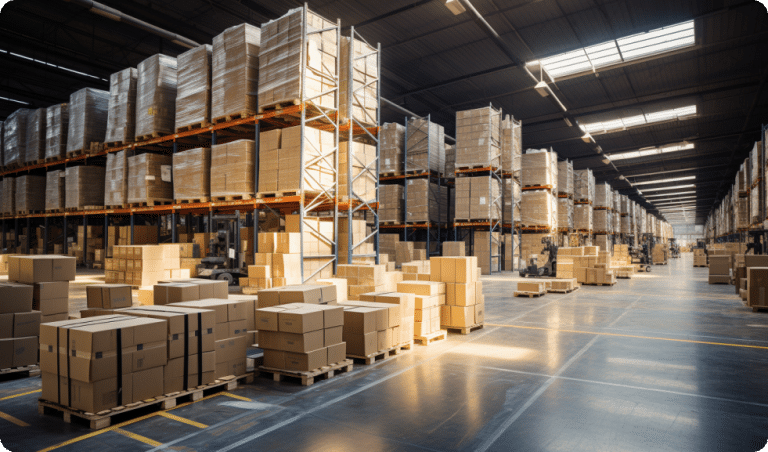
Warehouse
Warehouse Consolidation in China — Faster, Smarter Global Shipping A consolidation warehouse combines cargo from multiple suppliers into one ship...
Read guide →
Related Guide
Air Freight from China
Air freight from China is the best option for time sensitive and high value shipments. It offers fast delivery, reliable transit times, and effic...
Read guide →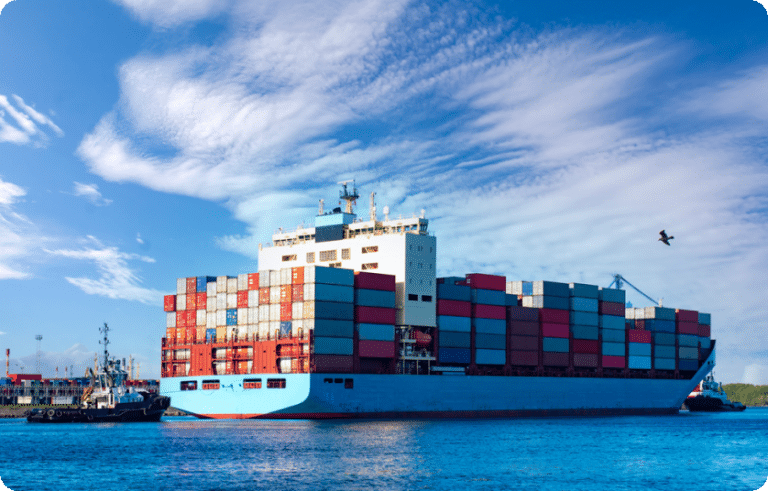
Related Guide
Sea Freight Shipping from China
Sea freight is the most cost effective shipping method for large volumes and container load cargo. It is ideal for businesses looking to reduce s...
Read guide →
Useful Resource
DDP to Amazon FBA USA
DDP to Amazon FBA USA Verified & Reviewed · Last updated March 2026 DDP to Amazon FBA USA helps sellers ship goods from China to Amazon warehouse...
Learn more → Useful Resource Customs Clearance Step by StepCustoms Clearance Step by Step: The Complete Process Verified & Reviewed · Last updated February 2026 Customs clearance step by step helps intern...
Learn more →